Lesson 10.3
Getting paid
Invoices, payment options and W-9s. 4 min read
The big ideaA clear invoice, easy ways to pay and a polite follow-up get you paid faster.
Doing the work is only half the job. The other half is getting the money into your account. Clear invoices and easy payment options do most of that for you.
What a good invoice shows
- Your business name, logo and contact details.
- An invoice number and the date.
- What you sold or did, with quantities and prices.
- The total and the due date. “Net 15” means it’s due 15 days after the invoice date.
- How to pay, with a link if you can.
Offer the ways your customers already like to pay, such as Zelle, PayPal, Venmo or a card link. The easier it is, the faster you’re paid. Card payments usually carry a fee, so build it into your prices.
The W-9
Business clients often ask for a Form W-9. It gives them your legal name, address and taxpayer ID so they can report what they paid you. Instead of your Social Security number, you can get a free EIN (employer identification number) from the IRS.
Example · Rivera Candle Co.
A local gift shop ordered 60 candles at $14 each. Maria sent an $840 invoice, due Net 15, with her W-9 attached and a link to pay. The shop paid by card link on day 12.
For late payers, send a friendly reminder on the due date, another a week later, then call. Stay polite, and hold new orders until old ones are paid.
Key notes
- Every invoice needs a number, date, line items, total, due date and how to pay.
- Offer the payment options your customers already use.
- Use a free EIN on your W-9 instead of your Social Security number.
- All business income is taxable, whether or not a client sends you a tax form.
A steward’s view
Clear invoices and fair terms are good for you and good for your customers.
Do it in the app
Send your first invoice
- 1Open your business → Settings → Company info. Add your logo, legal name, address and tax ID (pick EIN). Invoices and your W-9 use it.
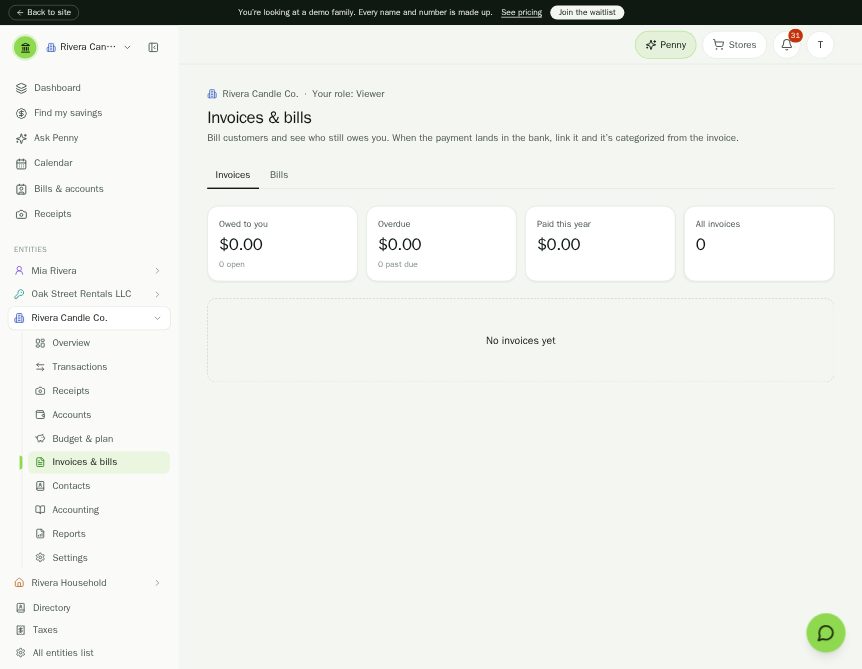
- 2Open Invoices and tap New invoice. Pick or add the customer, add lines and a due date, and turn on Attach W-9 if they need it. The customer gets a link to view and pay.
- 3When the payment reaches the bank, pick the invoice under Link the bank deposit and it’s marked paid. Customers are saved in Contacts, and Directory searches them across all your entities.
Quick quiz
3 questions
Go deeper
- IRS: Get an employer identification numberApply for a free EIN online, straight from the IRS.
Track this automatically in Stackyard
Connect your accounts once and Penny watches for this every time your banks sync.
For education only; not financial, tax or legal advice. Store rules, rates and tax figures change; check the source before you act.