Taxes
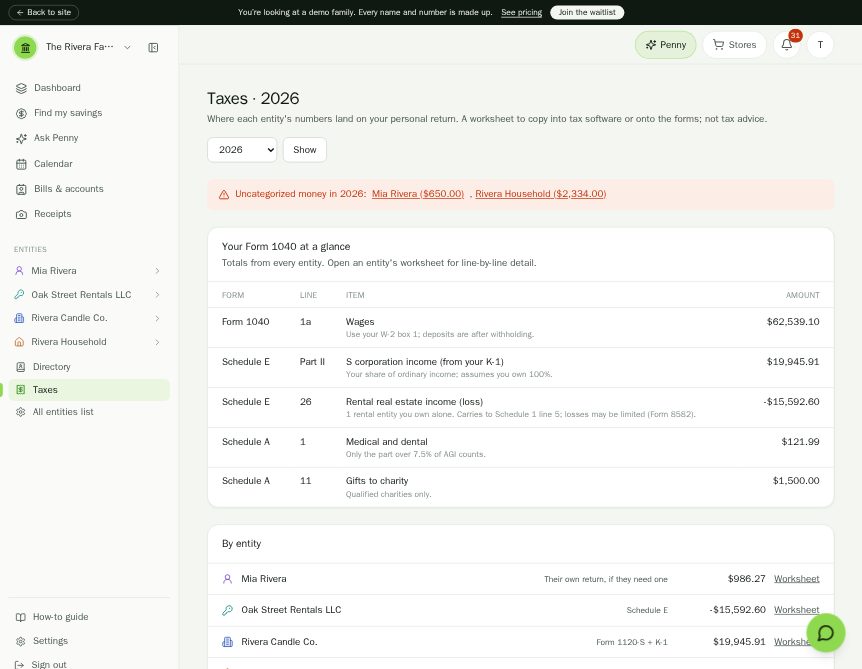
Each entity has its own Taxes page; your household’s shows your whole personal return.
Where it is in the app
Sidebar → click an entity → Taxes.
How it works
- 1Open your household → Taxes for your Form 1040 at a glance: totals from every entity, grouped by form and line (Schedule C, Schedule E and so on), with a link to each entity’s Taxes.
- 2In a business, rental or kid, Taxes shows which form its numbers go on and the line-by-line worksheet.
- 3Pick the tax year, fix “categories not assigned to a tax line” so they count, then copy into tax software or download the CSV for your CPA.
Want this for your family?
Hold my spot, free