Settings
One page for categories, rules, members, bank accounts, connected apps, notifications, security and your plan.
Where it is in the app
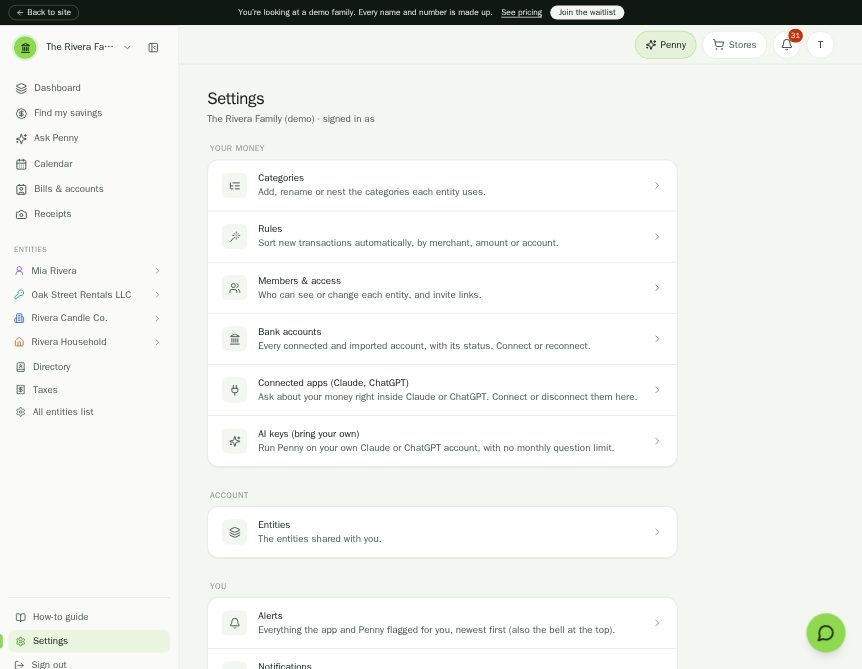
Sidebar → Settings (bottom). On a phone or iPad, tap your initial at the top right.
How it works
- 1Your money: Categories, Rules, Members & access, Import from another app, Bank accounts, Store orders sync, Connected apps, AI keys.
- 2Account: Manage entities, Billing & plan, Refer friends.
- 3You: Notifications, Password, Two-factor sign-in, Your data (download everything or delete your account), How-to guide, Help & support (open a support case: you get a case number by email and a private link to follow it and reply) and Take the guided tour.
Want this for your family?
Hold my spot, free