Debt payoff planner
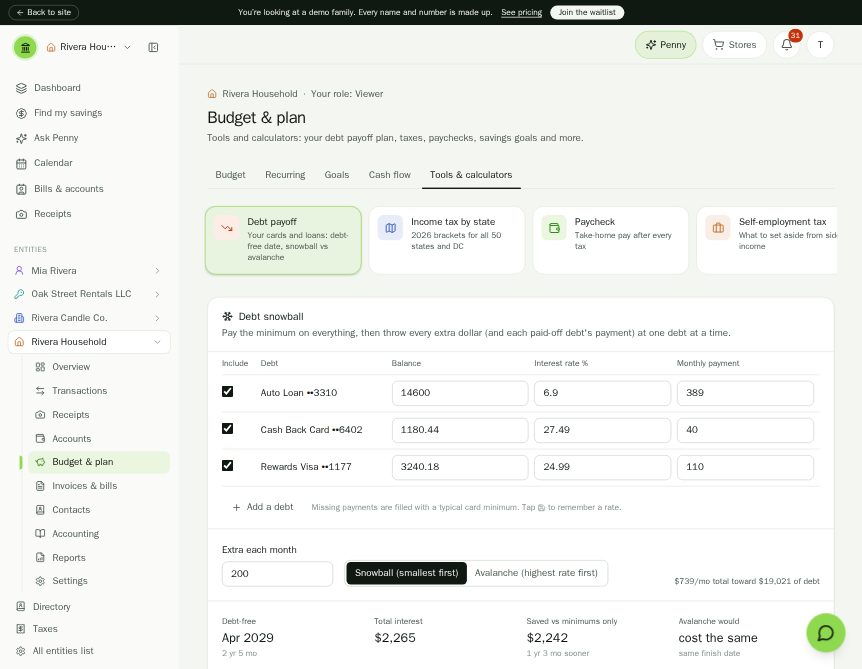
See when you’ll be debt-free, how much interest you’ll pay, and what an extra payment does.
Where it is in the app
Entity → Budget & plan → Tools & calculators → Debt payoff (the first tool).
How it works
- 1Your cards and loans are listed with balances and rates.
- 2Try an extra monthly amount and compare payoff orders.
- 3The same Tools & calculators tab has the other calculators in a row you can scroll: income tax by state, paycheck, self-employment tax, emergency fund, savings goal, rental depreciation and kids’ allowance, plus the budgeting guide and printable checklists.
Want this for your family?
Hold my spot, free